
Search as a unified query system across contexts
Product Architecture · Search Systems · State Management · Decision Logic · B2B/B2C SaaS

This case focuses on transforming search into a controlled query system inside a B2B SaaS file platform. The feature had to work consistently across My Files, folders, and Trash, support dynamic filters, quick search scenarios, and CSV export, while remaining predictable under different contexts and system states. I led the product definition for this feature, shaping system behavior, interaction logic, and delivery artifacts from problem structuring to implementation-ready outcomes for engineering and QA.
Problem Space
The system did not support controlled query construction. Users needed to define what to search, where to search, and within which time range, but increasing control introduced instability. Always-visible complexity reduced clarity and slowed down everyday use, while hidden complexity reduced precision and broke trust in results.
At the same time, search had to adapt to different contexts without creating conflicts. The system could not maintain both flexibility and predictability, which made search harder to use as tasks became more complex.
These limitations manifested across three key dimensions:
| User Complexity | Scalability | UX Constraints |
|---|---|---|
| Users needed more control over search parameters (what to search, where, and when) for more accurate results | The search functionality had to support different file types across multiple areas (e.g., My Files, Trash, folders) without affecting system performance | The logic needed to remain intuitive and familiar while introducing new functionality |
Constraints
Technical: Search depends on API logic, multiple file types, and performance constraints.
Contextual: Search parameters must not conflict with the user’s current location.
User: The interface remains simple by default while exposing complexity on demand. Active conditions must always remain visible.
Delivery: Behavior must be defined through explicit rules, states, and acceptance criteria.
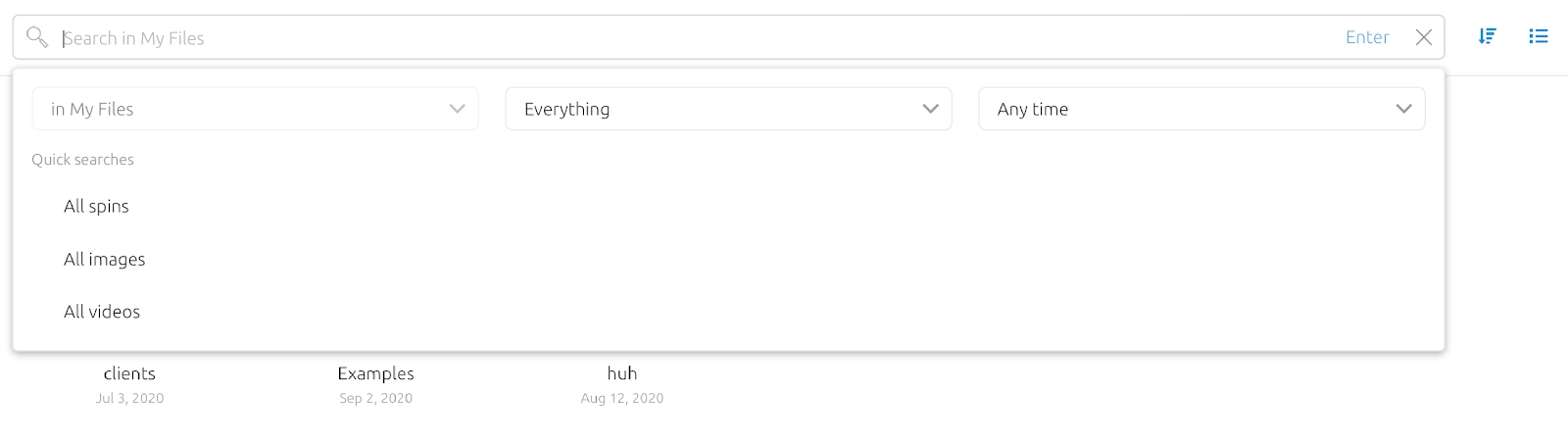
Key rule: If a user is in My Files or Trash, location selection is disabled.
Key Principle
Search is not a field. It is a state.
The system remains simple by default and reveals complexity only when the user enters search mode. This shifts the problem from adding more controls to managing transitions between states and ensuring that every query is valid and understandable.
Solution: Controlled Query Model
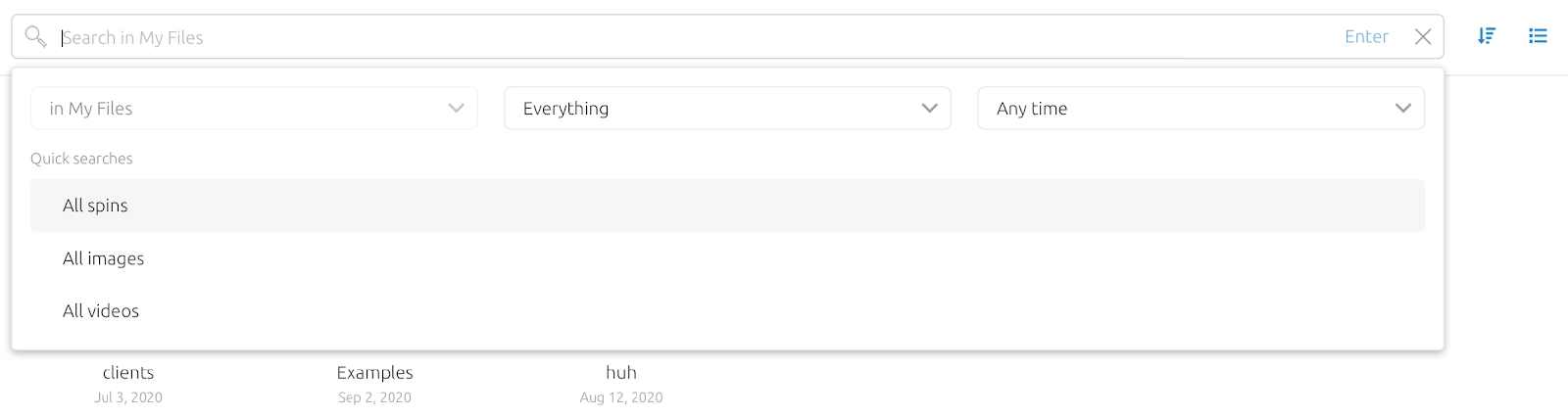
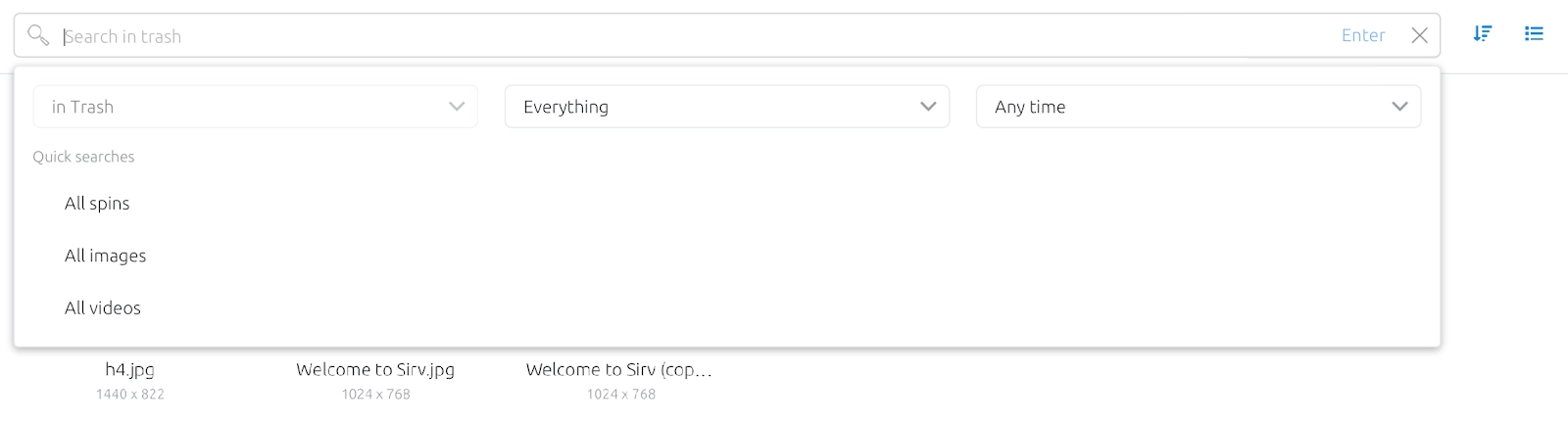
Search becomes a dedicated mode rather than a persistent interface element. The system does not change until the user interacts with the search field. Once activated, it transitions into a state where query construction becomes available.
Query is built as a combination of parameters rather than a single input. Users can define file type, location, and date range simultaneously, forming a structured request instead of relying on keywords alone.
The system enforces validity before execution. Search cannot be triggered until at least one parameter or input is defined, ensuring that every query produces meaningful results.
Context-aware rules prevent invalid combinations. If the user is already inside My Files or Trash, location selection is disabled. The system reduces error space instead of relying on user awareness.
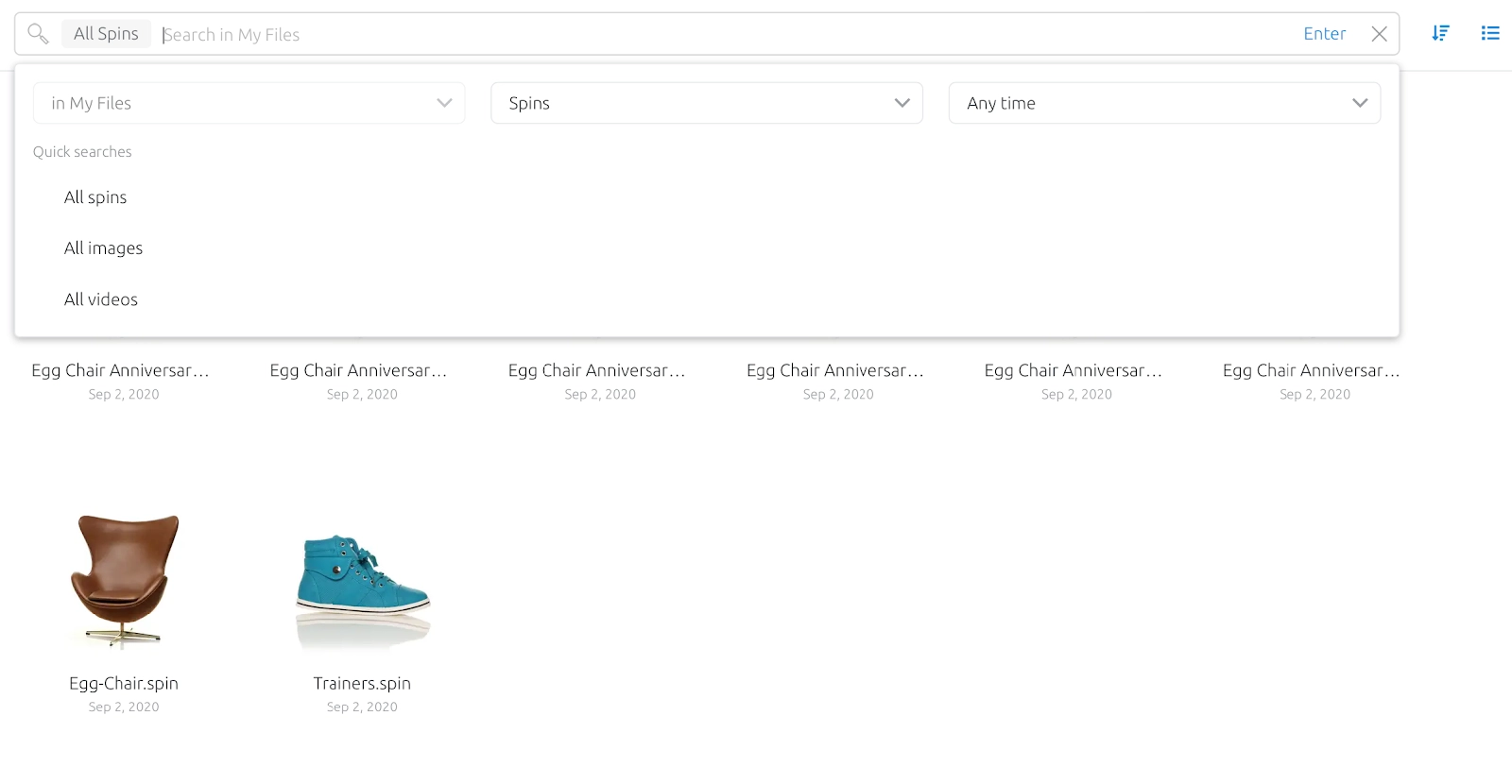
Query state is always visible. Selected parameters appear as interactive tags, allowing users to understand, verify, and modify the active query without reconstructing it from memory.
Quick Search introduces predefined scenarios for repeated behavior. Instead of manually rebuilding common queries, users can execute them instantly.
Search results preserve query logic. The system keeps active parameters visible alongside results, ensuring that output is always connected to its conditions.
Export extends the query system beyond the product. CSV export retains all active parameters, allowing users to continue working with structured results outside the platform.
Search remains passive until the user enters search mode



Entering search activates structured query construction
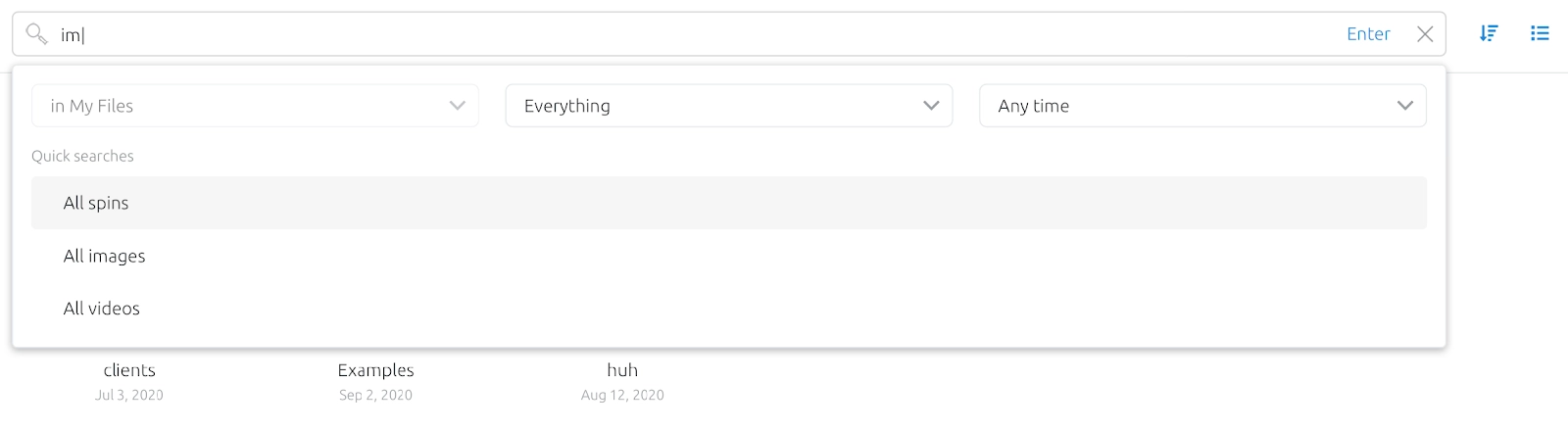
Active parameters are represented as persistent query tokens
Context defines available query scope and disables conflicting options
Results preserve query structure and make conditions visible
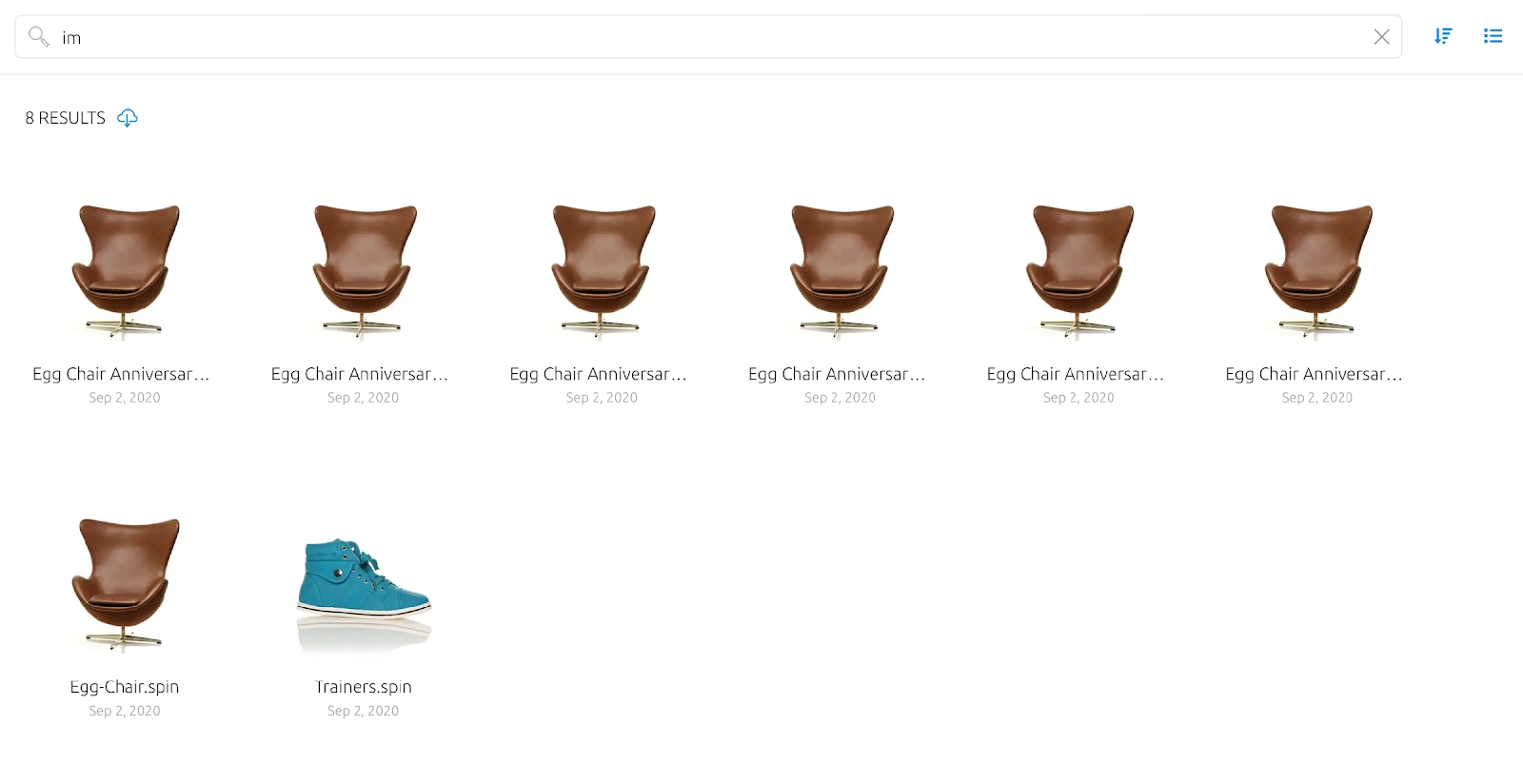
Active parameters remain visible as part of the query state

Decision Logic
The core challenge was where to place cognitive load.
I chose intent-based complexity over always-visible controls. Exposing all filters upfront would improve discoverability but penalize everyday use. The system reveals depth only after the user signals intent by entering search mode.
I restricted location selection when the user is already inside My Files or Trash. This reduces user freedom by design, but prevents conflicting states that would otherwise require users to manage logical consistency themselves. Predictability was prioritized over flexibility.
I surfaced active parameters as persistent tags instead of hiding them after execution. This increases interface density, but makes the query state transparent and verifiable. Users should always understand what they asked, not just what they received.
I separated Quick Search from manual query construction. Repetitive scenarios require speed, while complex queries require control. Combining them would compromise both.
Each decision follows the same principle: complexity is handled by the system, not delegated to the user.
Implementation
I translated the solution into explicit system behaviors and delivery artifacts to ensure consistent implementation.
An interactive workflow was designed to define how search transitions between states, including activation, parameter selection, validation, and result handling. This allowed the system behavior to be clearly understood before development.
Interactive prototypes were created to validate state transitions and parameter combinations. This helped identify edge cases and reduce ambiguity during handoff.
User stories and acceptance criteria were defined in Jira to formalize system logic, including query validation, contextual constraints, and export behavior. This ensured that every rule could be implemented and tested consistently.
Documentation was prepared to describe scenarios, system states, and interaction logic. This aligned design, engineering, and QA around a shared understanding of how the system should behave.
The solution was continuously aligned with stakeholders to ensure that product, technical, and business constraints were consistently reflected in the final implementation.
| User stories | Acceptance Criteria |
|---|---|
| As a user, I want to search for files based on specific parameters (file type, folder, date range), so that I can find files more accurately and efficiently. | Users can filter search results by file type, folder, and date range. Users can select multiple filters and view the chosen parameters as tags. Users can reset all filters to clear their search. |
| As a user, I want to export search results in a CSV format, so that I can analyze or use the results outside the platform. | Users can export search results to a CSV file with a single click. The export function will retain all search parameters (file type, folder, date). Exported CSV file will display search results in a clear, structured format. |
| As a user, I want a “Quick Search” feature to immediately search using common predefined filters, so that I can save time and avoid setting filters manually. | Users can click on predefined quick search filters. The results page immediately displays files filtered based on the chosen quick search option (e.g., all files in “My Files”). The quick search is visible and accessible on the toolbar. |
Tools
Figma, Miro were used for system modeling and prototyping. Jira and Confluence supported documentation and alignment across teams. Analytics tools such as Google Analytics were used to validate behavior and measure impact. AI tools including ChatGPT, Perplexity, and Gemini supported structuring, analysis, and documentation of system logic.
Impact
The solution improved both performance and predictability of search.
Key Performance Indicators
- Search Efficiency: Increased by 25%.
- User Satisfaction: Increased by 43%.
- Support Workload: Reduced tickets by 54%.
System Improvements
- Predictability: Users can now easily understand the current system state and verify active conditions.
- Error Prevention: The system helps users avoid invalid queries before they are processed.
- Context Preservation: Seamless results export without losing active search parameters.
- Advanced Control: Support for structured query construction across multiple operational contexts.
Users can now clearly understand their current state, see active conditions, avoid invalid combinations, and rely on consistent results. Search evolved from a simple input into a controlled query system.